
Drying Days1.9 - Google Play
You'll be able to see results in few seconds.
Publisher Description
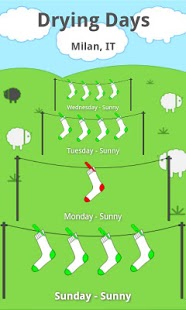
The perfect way to dry your laundry - naturally!
Drying Days is a cool app that helps you to get the most from your washing. Using the latest forecast data from World Weather Online, Drying Days generates a straight-forward 'peg rating' from 0 to 5 that lets you know whether or not to put the washing on. Five pegs on the line, and your clothes will be dry in no time... no pegs, no drying - it's time to put your feet up and have a cup of tea instead!
Save money on expensive tumble drying and get that outdoor-dried smell from your clean clothes with ease.
Drying Days uses a custom formula to calculate the best day for drying your clothes, based on local conditions and the current three day forecast. Instead of producing pages of complicated weather info, Drying Days does the hard work for you and crunches advanced forecast data, including rain and other precipitation, temperature, cloud cover, wind speed and other weather info through our custom algorithm. All you need to do is check the pegs!
Set up cool widgets that will make your iPhone-owning friends jealous...
Drying Days is proud to introduce a unique new concept in lifestyle weather widgets. Feed laundry weather info direct to your homescreen with our cute peg widget - fun, useful and only available on Android devices!
About Drying Days
The company that develops Drying Days is Tyrell Mobile. The latest version released by its developer is 1.9.
To install Drying Days on your Android device, just click the green Continue To App button above to start the installation process. The app is listed on our website since 2014-05-15 and was downloaded 0 times. We have already checked if the download link is safe, however for your own protection we recommend that you scan the downloaded app with your antivirus. Your antivirus may detect the Drying Days as malware as malware if the download link to com.tyrell.dryingdays is broken.
How to install Drying Days on your Android device:
- Click on the Continue To App button on our website. This will redirect you to Google Play.
- Once the Drying Days is shown in the Google Play listing of your Android device, you can start its download and installation. Tap on the Install button located below the search bar and to the right of the app icon.
- A pop-up window with the permissions required by Drying Days will be shown. Click on Accept to continue the process.
- Drying Days will be downloaded onto your device, displaying a progress. Once the download completes, the installation will start and you'll get a notification after the installation is finished.
Program Details
System requirements
Download information
Pricing
Version History
version 1.9
posted on 2014-05-15
Fixed a bug preventing the widget working; thanks to Alice for picking this up.,Updated to new World Weather Online api,Updated drying algorithm,Minor fixes for Android 4.1 Jelly Bean.
version 1.7
posted on 2012-10-13
Several fixes and updates
Disclaimer
Official Google Play Link
We do not host Drying Days on our servers. We did not scan it for viruses, adware, spyware or other type of malware. This app is hosted by Google and passed their terms and conditions to be listed there. We recommend caution when installing it.
The Google Play link for Drying Days is provided to you by apps112.com without any warranties, representations or guarantees of any kind, so access it at your own risk.
If you have questions regarding this particular app contact the publisher directly. For questions about the functionalities of apps112.com contact us.
